 GoPro lap telemetry for racers
Find where you lose lap time, corner by corner
Your GoPro already records GPS, accelerometer and gyro data alongside the video. Upload the file from the card and DST Telemetry splits it into laps, lines them up by track position and shows exactly where each lap gained or lost time against your best one, with the in-car footage in sync.
- Any GoPro that records GPS
- Laps found automatically
- Every number has a published definition
What it does
Laps found for you
A start/finish gate is placed on the longest straight and every crossing is timed. Racing, caution, pit and partial laps are told apart, with the reason recorded.
Time gained and lost, corner by corner
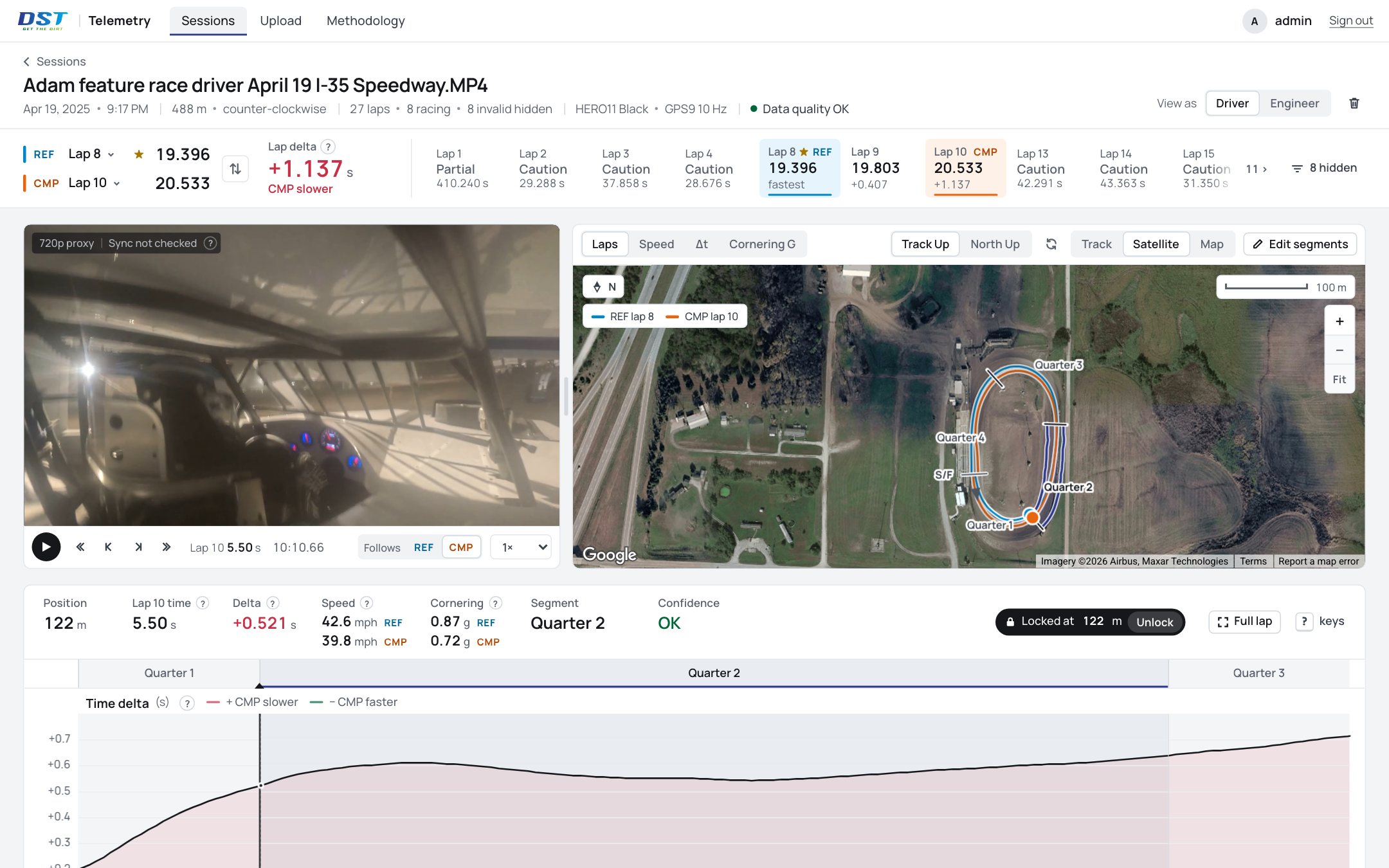
Laps are compared at the same place on the track, not the same moment in time, so the delta says where the time went. Each corner and straight gets its own share.
Speed, Cornering G and Chassis Load
Entry, exit and minimum speed for every corner; how hard the car's path is turning; and the lateral load the chassis sees, from the camera's own accelerometer once it's calibrated to the car.
Video that follows the data
Move the cursor on any chart or the track map and the footage goes there. See what the car was doing where the time was lost.
How it works
Upload the recording from the card
The camera's own .MP4, or the small .LRV file beside it, which carries the same telemetry and uploads much faster. Only the camera's metadata track is read for the numbers; the video itself is never decoded to make them.
Pick your reference lap
The fastest racing lap is the reference until you choose another. Compare any lap against it, or step through the session lap by lap.
Read the track, not the stopwatch
The track map, the time-lost chart and the video all move together, so the corner where the time went is the corner you're looking at.
Built for racers
Short ovals, noisy GPS, pit roads and cautions in every session. The engine was built and checked on real feature and heat-race footage, and it treats bad data honestly instead of guessing.
- Nothing invented. When the data can't support a number, the number is hidden or marked and the reason is shown.
- Every number is documented. Definition, units, source channel, algorithm version and tests, all published in the methodology.
- Your files stay yours. Your recordings and analyses are never shown to other racers.
- The camera you already run. Any GoPro that records GPS telemetry works; no extra logger, no wiring. Not every model has GPS, and on the ones that do it has to be switched on in the camera's settings. A recording without GPS cannot produce laps.
Start with your last race.
Upload the recording and every lap of the session comes back lined up against your best one.